AI AGENT SECURITY
Delegate to AI.
Keep the work
within scope.
Discover AI across your organization and connect it to owners and permissions.
Scope tools and resources for every request.
Discovery / Identity / Guardrail
Employee request
“Create the September report for project A.”
Discovery
Identify the AI and its owner
Reporting AI · project A owner
Identity
Apply enterprise permission limits
Read project A data · create team reports
Guardrail
Limit the scope for this request
Check September data access and report instructions
Business systems still authorize actual access and changes.
DISCOVER. DEFINE. PROTECT.
From finding AI to keeping its work in scope.
Having permission to access a resource does not mean that access is needed for this task. Yamong connects AI inventory, permissions and individual requests.
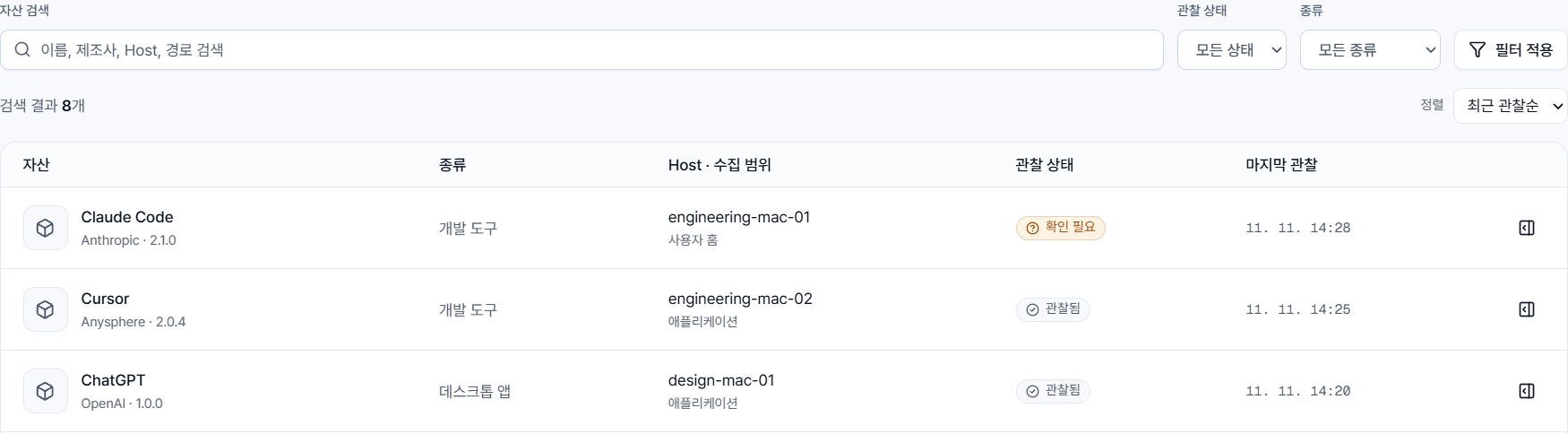
AI Discovery
Which AI does your organization use?
Bring together AI assets and evidence across PCs, servers and cloud environments. Identify owners and review policy status.
Explore productAI Identity
Who owns each AI, and what can it do?
Define tools and permissions for each AI's purpose, within your organization's permission limits and prohibitions.
Explore productAI Guardrail
What should this request be allowed to do?
Scope tools and resources for each request. Hold instructions that exceed the scope and request a revision.
Explore productAI Discovery
Start with the AI your organization actually uses.
Collect evidence from PCs, servers and cloud management APIs. Bring scattered observations into an inventory your security team can review.
- Identify commercial and custom AI candidates
- Review evidence, location and observed state
- Distinguish candidates, confirmed agents and policy status
Korean console · demo data
AI Identity
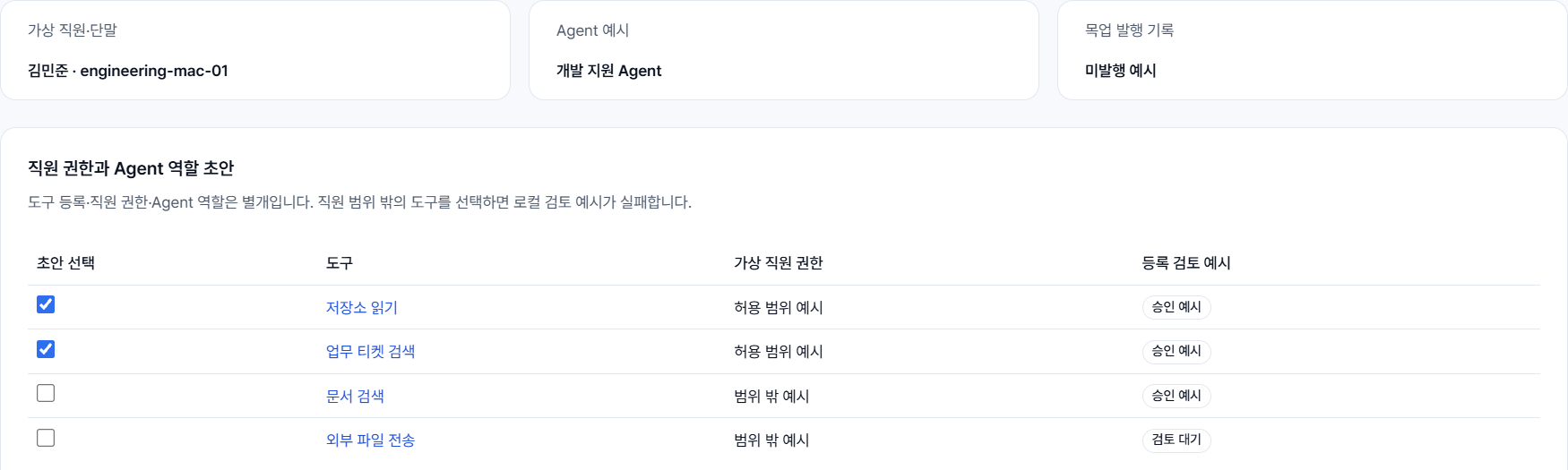
Give each AI permissions that match its job.
Connect the owner and business purpose to enterprise identity. Apply permission ceilings and prohibitions to proposed tools and resource scopes.
- Connect employees, teams and AI owners
- Review purpose-based tool and permission proposals
- Register scope and improve policies using activity history
Korean console · demo data
AI Guardrail
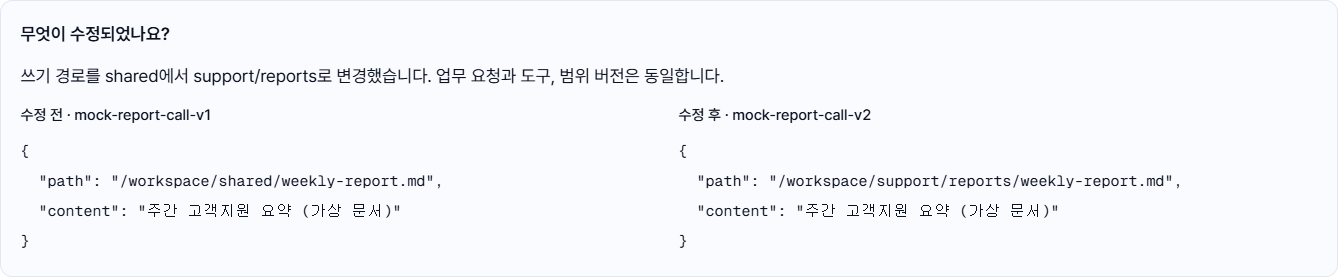
Check what the AI is about to ask the system to do.
Limit exposed tools, determine the resources needed for the request, then check returned instructions and arguments before forwarding them to the agent.
- Apply registered tool and permission limits
- Evaluate tools and resource paths for each request
- Hold out-of-scope instructions, request revision and recheck
Korean console · demo data
ENTERPRISE PERMISSIONS + TASK SCOPE
Keep enterprise authorization. Add the scope of this task.
Identity defines the AI’s baseline access within enterprise policy. Guardrail narrows it to the tools and resources needed for each request. Business systems continue to authorize actual operations.
Boan Kim · Project A owner / illustrative example
“Prepare the September work report”
- Allowed tools
- Read summaries + create document
- Accessible resources
- September data for Project A and the team reports folder
- Excluded for this request
- Send external email · another owner’s data
AI-SPM
See where AI permissions could lead.
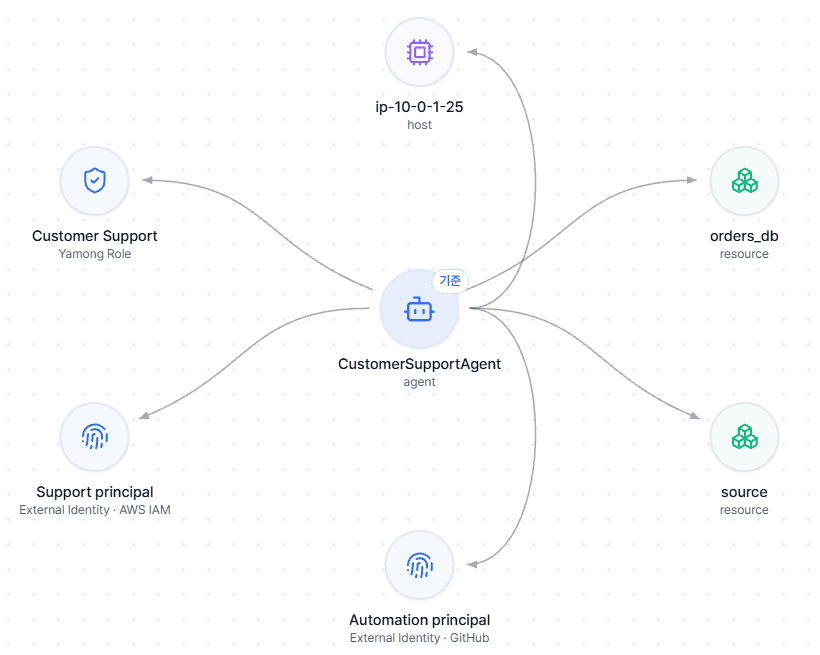
Connect agents, roles, identities and resources. Select a path to inspect permission evidence and identity bindings, then decide what needs further investigation.
A potential path is a lead for investigation, not proof of a successful attack.
Explore AI-SPM